Reports · Web & Windows
DukReport
A WYSIWYG report designer that never phones home. Design with bands, bind your own data, trust the pagination, export pixel-perfect PDF — offline, with zero backend.
What it does
A report is a promise about paper
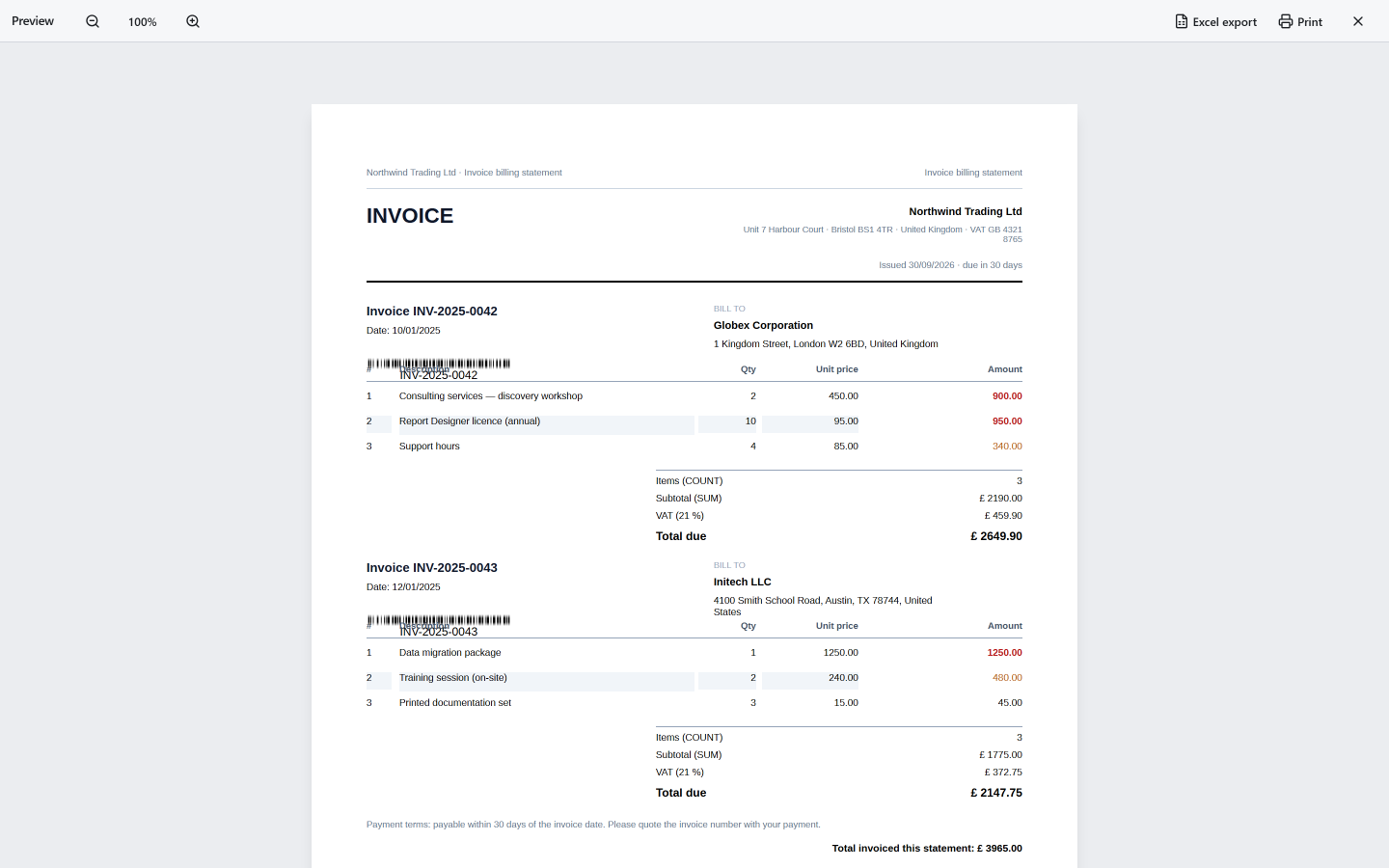
DukReport keeps that promise: what you see in the preview is exactly what prints.
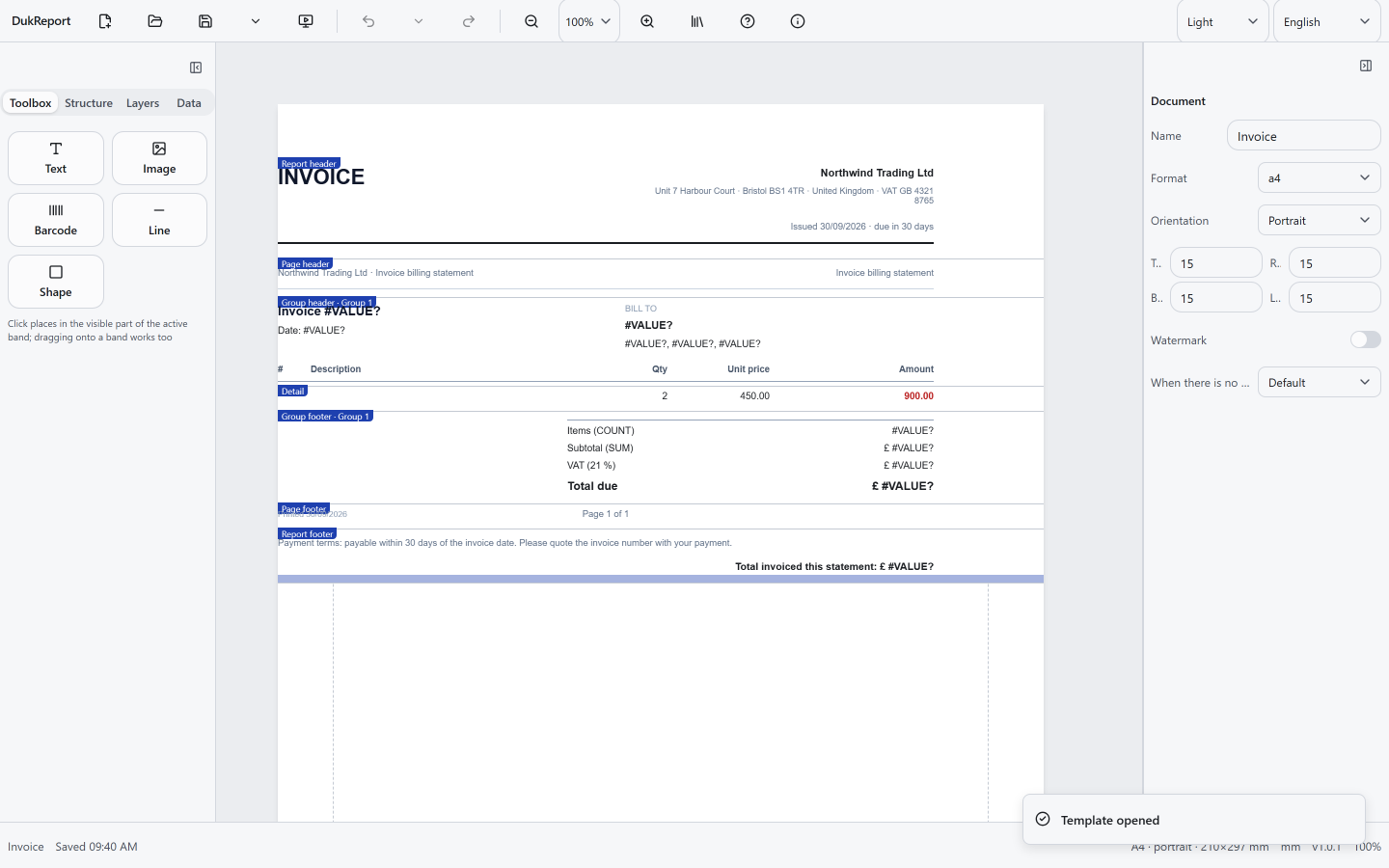
- Visual band-based design — Report headers, page headers, group headers, details, footers — bands with snap guides, multi-select, a layers panel and a screen-reader-accessible structure tree.
- True pagination — A dual-pass layout resolves PAGENUM and PAGECOUNT before anything renders. Keep-together and page-break rules stop rows and groups from tearing across pages.
- The preview is the PDF — On-screen preview and print output come from the same draw pipeline. Exactly one engine ever commits to PDF: Chromium. No second render path, no surprises.
- Data without a backend — Bind CSV, JSON, REST endpoints or typed-in tables — fetched by your browser, never routed through a third-party server. Master–detail relations for invoices and order lists.
- An open file format — Reports save as .duk files: an ordinary ZIP with a schema-validated doc.json plus your assets. Unzip it, read it, script it — versioned with a migration chain.
- Offline and private by architecture — An installable PWA that works with the network cable unplugged. Self-hosted fonts, no CDN, no account, no telemetry — your data stays on your device.
Try it
Run it in your browser or on Windows
The web app installs from the address bar in Chrome, Edge and other Chromium browsers. The Windows demo is a portable zip — unzip and run, no installation.
DukReport for Windows
v1.0.1SHA-256: b72d7254c38af53c6a91becfcbd8fcd98dd69d0b09415a77ef4ff68a878eaeae
DukReport-1.0.1-win64.zip Requirements: Windows 10/11 64-bit with WebView2 (usually preinstalled). Unzip and run — no installation.
Questions
Frequently asked
- Does DukReport need an internet connection?
- No. DukReport is an offline-first PWA: once installed it works with the network cable unplugged. Data sources are fetched by your own browser and stay on your device.
- Where does my data go?
- Nowhere. There is no server, no account and no telemetry. Datasets are bound in your browser, and saved reports are ordinary .duk files (zipped, schema-validated JSON) on your own disk.
- Which data sources can I bind?
- CSV files (paste or load, fields detected automatically), JSON arrays and nested objects, REST endpoints via a wizard with a live response preview, and small typed-in tables for lookups.
- What are the requirements for the Windows demo?
- Windows 10/11 64-bit with WebView2 (usually preinstalled). Unzip and run — no installation, no admin rights.
- What does DukReport cost?
- The web app is free to use at dukreport.tureluut.be, and the Windows demo is a free download.
- Can I embed the designer or viewer in my own application?
- Yes. DukReport ships routes for a desktop shell: a read-only #/viewer and a #/designer-locked mode where the layout is fixed but the data is not — both documented through an OpenAPI contract.
Anything else? Ask a question or read how the engine works under the hood.
Design your first report
Open DukReport in any modern browser — or install it and keep working at 30,000 feet.
Installable from the address bar in Chrome, Edge and other Chromium browsers.